Article Structured Data: JSON-LD Guide
Want to add article schema to your site? Article structured data gives Google your headline, author and dates, which is what produces the richer news and blog result in search. Add the JSON-LD, check it with the free Structured Data Preview tool and Google's Rich Results Test, and follow Google's Article documentation for the exact fields.
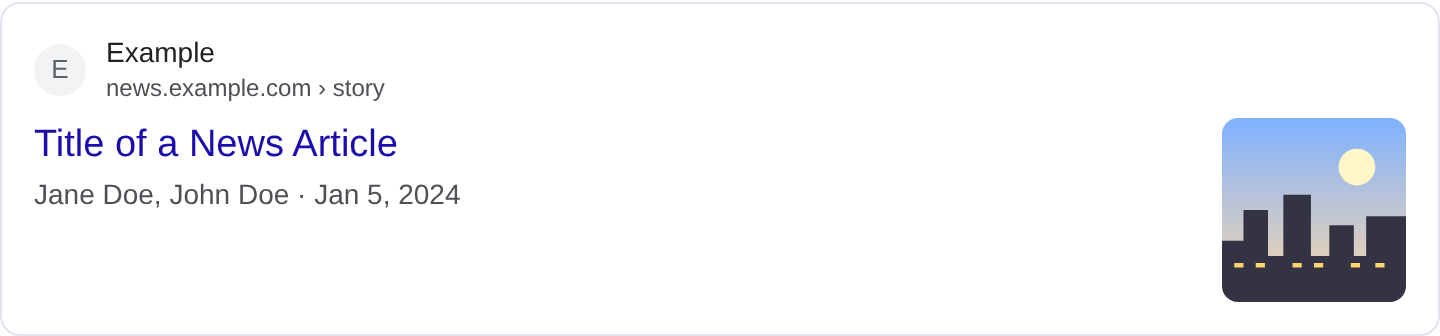
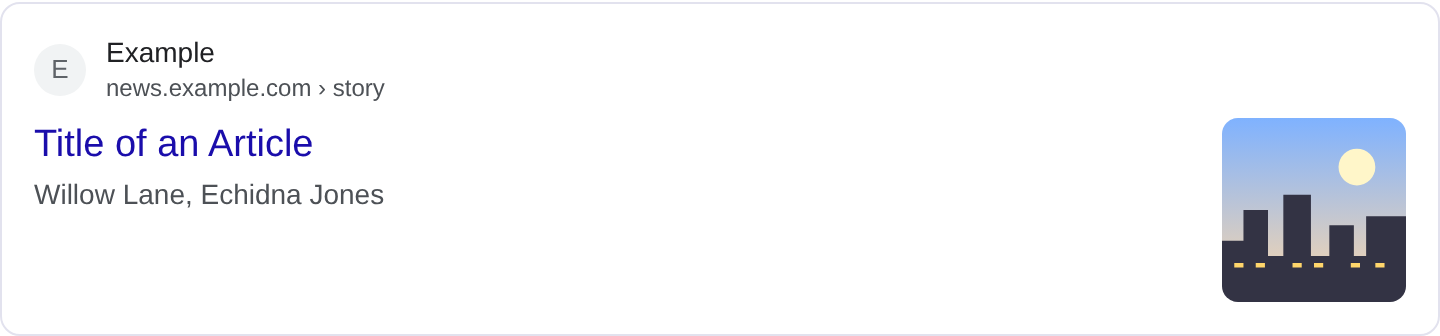
What is Article structured data?
Article structured data is the markup that tells Google your page is a news article, a blog post, or a long-form editorial piece rather than just a generic web page. When Google understands that, it can pull out the headline, the author, the publish date and the lead image and show them next to your result. You have seen these results: the headline is larger than a normal result, the author name appears underneath, and a date sits beside it. That extra line of information is exactly what Article markup feeds. For the full list of properties and Google's current requirements, see Google's Article structured data documentation.
The type covers Article, NewsArticle and BlogPosting. Pick NewsArticle for reporting and time-sensitive stories, BlogPosting for your own commentary, and Article as a neutral default. The fields you fill in are the same either way; the subtype just helps Google decide how much freshness matters. If you run a publisher, an author box and a visible publish date matter more than almost anything else in your markup, because both of those map directly to things users look for when deciding whether to click.
Article markup is not a ranking boost on its own. What it does is make your result richer and easier to trust at a glance. A result that says "By Maya Chen, Nov 14" alongside a thumbnail reads as more credible than a bare blue link. That difference shows up in click-through rate, which is where the real value is.
What it looks like in search results
The rich result usually looks like a normal result with two additions: the author name and the publication date, often with a small image on the left. News results can also carry a publisher logo. The exact layout moves around depending on Google's tests and the query, so treat any screenshot you see as a snapshot, not a promise. The real appearance may differ, and you should check your own page in the Rich Results Test before assuming anything. You can also generate and inspect the JSON-LD yourself with the Structured Data Preview tool.
JSON-LD example
{
  "@context": "https://schema.org",
  "@type": "NewsArticle",
  "headline": "Harbor City Reopens Its Ferry Terminal After Two Years",
  "author": {
    "@type": "Person",
    "name": "Maya Chen",
    "url": "https://example.com/authors/maya-chen/"
  },
  "datePublished": "2026-11-12T08:15:00-08:00",
  "dateModified": "2026-11-13T17:40:00-08:00",
  "image": [
    "https://example.com/images/ferry-terminal.jpg",
    "https://example.com/images/ferry-terminal-2x.jpg"
  ],
  "publisher": {
    "@type": "Organization",
    "name": "The Harbor Ledger",
    "logo": {
      "@type": "ImageObject",
      "url": "https://example.com/logo.png"
    }
  },
  "mainEntityOfPage": "https://example.com/news/ferry-terminal-reopens/"
}
The important pieces are headline, which should match your H1 closely, and author, which should be a real Person with a name and ideally a profile URL. datePublished and dateModified need full ISO 8601 timestamps with a timezone; a bare date is not enough. image accepts a single URL or an array of high-resolution images, and publisher needs both a name and a logo because Google shows the logo next to the result. mainEntityOfPage gives the canonical URL of the article itself.
Required and recommended properties
Google does not publish a hard list of required properties for every article subtype, but the practical set is headline, image, datePublished (for time-sensitive pages) and author. Without a headline and an image you will not get the richer layout, and without a date the result looks undated. Add dateModified whenever you update the piece, publisher with a logo, and mainEntityOfPage so Google knows the canonical URL. For news specifically, Google expects an author and a date to be present and accurate.
Recommended beyond that: description for a short summary, author.url to link to an author page, and articleSection if you want to signal the category. Keep the author name consistent with the byline shown on the page; a mismatch between markup and visible text is a common quality problem.
How to add Article markup to your page
1) Open the validator and pick the Article type so you can see the expected fields. 2) Fill in real data: your headline, your author's name and URL, the publish and modify times, and a high-resolution image URL. 3) Watch for errors in the preview. A missing author or a malformed date will show up immediately. 4) Paste the JSON-LD into a <script type="application/ld+json"> block in the page <head> or before </body>. 5) Run the Rich Results Test on the live URL and confirm Google detects the Article item with no errors.
Common mistakes to avoid
Using the wrong subtype. A product review page is not a NewsArticle, and slapping Article markup on it just confuses the parser. Use BlogPosting for opinion pieces and Article for general editorial.
Dates with no timezone. 2026-11-12 looks fine to you but Google wants a full timestamp with an offset. Use 2026-11-12T08:15:00-08:00.
Author as a plain string. A bare "author": "Maya Chen" works less well than a Person object with a name and URL. The object form lets Google link to a real author page.
Headline that does not match the H1. If your markup says one thing and the page says another, Google may ignore the markup or pick its own title. Keep them aligned.
Image that is a logo. The image field should show the article's subject, not a 200px site logo. Low-resolution or tiny images get dropped.
Leaving dateModified stale. If you refresh an old story, update the modify timestamp too; a stale one can make the result look abandoned.
No publisher block. Without an organization and logo, Google cannot draw the publisher line, and your result looks bare.
Copy-pasting from another site and forgetting to change the URL. Always set mainEntityOfPage to the page you are actually publishing on.
Frequently asked questions
Does Article markup help me rank higher? It does not change your ranking directly. It makes your result richer, which can lift click-through rate, and that is the actual benefit.
Do I need one script per page? Yes. Each article gets its own JSON-LD block with its own headline, dates and image. A single site-wide script describing the homepage is not an article.
Can I use BlogPosting instead? Yes, and it is the better choice for a personal blog or commentary. Both subtypes use the same core properties.
What if my author changes? Update author and dateModified together so the markup stays honest about who wrote the current version.
Related guides
Try it on your own content
The Structured Data Preview checks content against these practices in seconds. Free and no sign-up; see the tool page for how analysis works.